Business operating system & workflow architecture
Christine's work arrived as one weekly Slack message, and progress was reported back by message. She built a Notion operating system around a single task database: a /task skill turns the weekly summary into structured records, status changes post to Slack automatically, a daily brief lists due and pending work, and an Executive HQ opens with the decisions waiting on management. A standard SOP template brings procedures into one format.
- Platform
- Notion · Slack · Claude
- Timeline
- HQ built Feb 2026 · rebuilt 28 Sep · automations live 01 Oct
- Task DB
- EZPZ Business Tracker · every task, current + historical
- Automations
- 2 live · 1 in build
- SOP library
- 21 · 13 accounting, 8 internal process
- Not included
- No custom code; no other team members using the system
- Drawing set
- CM-2026-CS04 · 4 sheets · 12 evidence items
- OWNERBusiness owner's weekly summary in Slack
- CLAUDE/task skill breaks it down; Christine reviews
- NOTIONTask records created
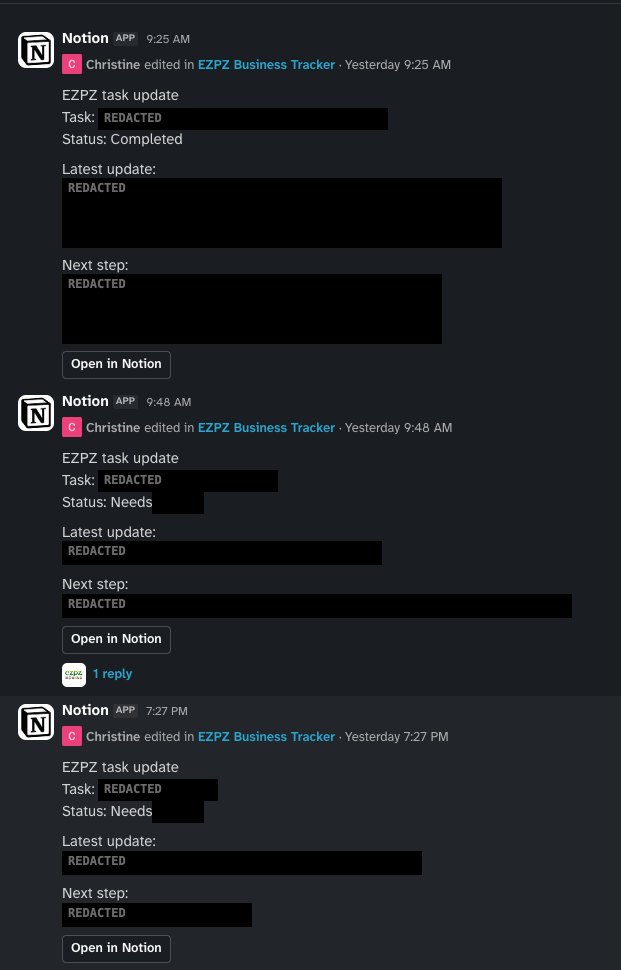
- AUTOStatus change → Slack update to management
- CMStatus, latest update, next step kept current
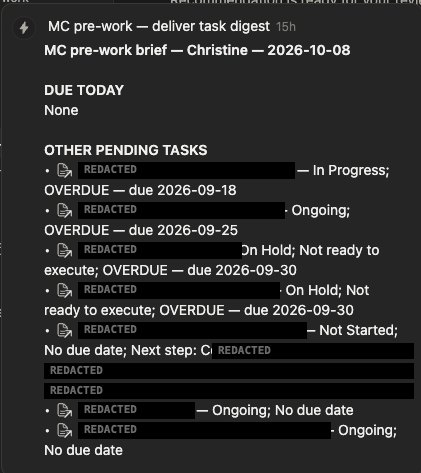
- AGENTPre-work brief: due today + pending, overdue flagged
- INBOXDelivered to Christine's Notion inbox
- CMBlocker logged, status set to Awaiting Management Decision
- MGMTManagement decides in the Slack thread or weekly brief
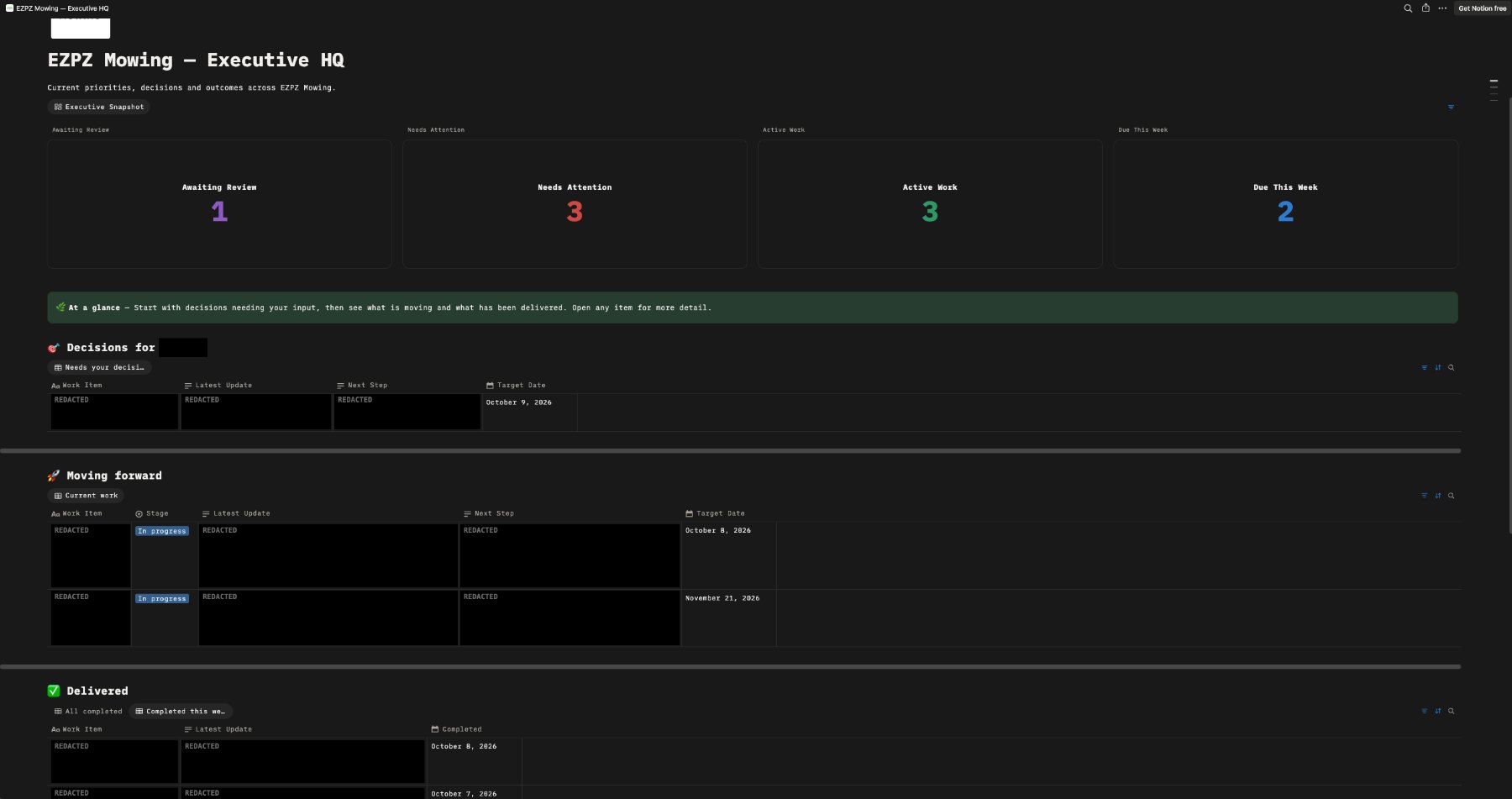
- VIEWExecutive HQ: filtered views of the same database
One message, many operations areas
The business owner assigns Christine's work as one weekly Slack message: a numbered summary spanning accounting, website tracking, marketing, lead follow-up, product registration, timesheets and events (E-01). Progress was reported back by message, so management had to chase updates (E-02).
Procedures were written in differing layouts, with no common fields for owner, review date or escalation (E-08 vs E-09).
- 01Turn one weekly summary into prioritised, structured task records
- 02Report progress to management without them chasing updates
- 03Separate items awaiting a management decision from ordinary work
- 04Start each day from one list of due and pending work
- 05Document procedures in one SOP format with owner, review and escalation
Responsibility matrix
- /task skill: build, scope review, apply
- Workspace, task database and Standard Task Template
- Status → Slack automation
- Pre-work brief agent
- Executive HQ, views and counters
- SOP template and the 21 SOPs
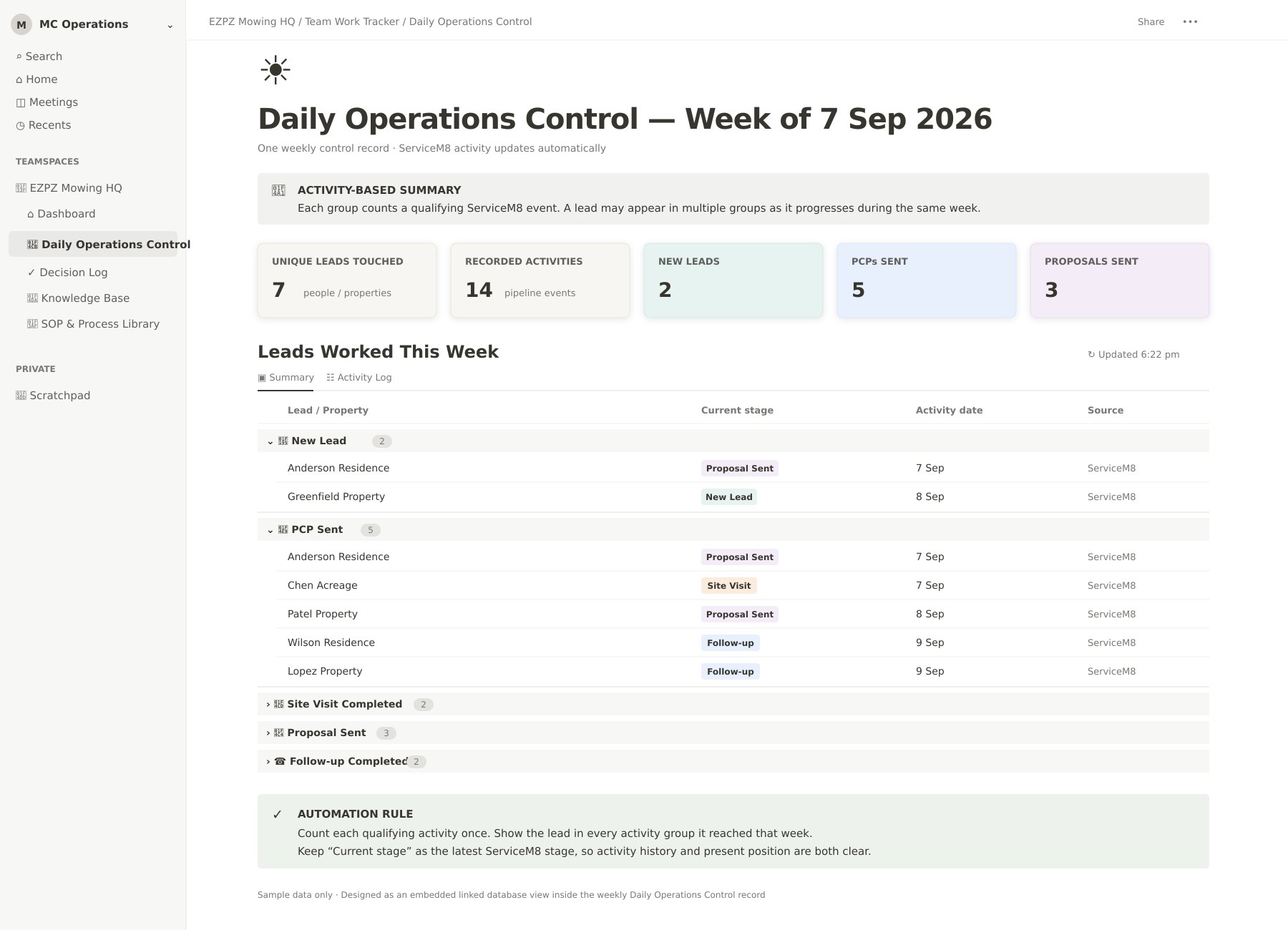
- Daily Operations Control (in build)
- Weekly task summary (Slack)
- Decisions on items awaiting management
- Weekly brief on Executive HQ, with Christine
- /task breakdowns drafted by Claude, reviewed by Christine
- /task skill drafted with ChatGPT
- Slack updates and daily brief run by Notion automation
One database, separate views
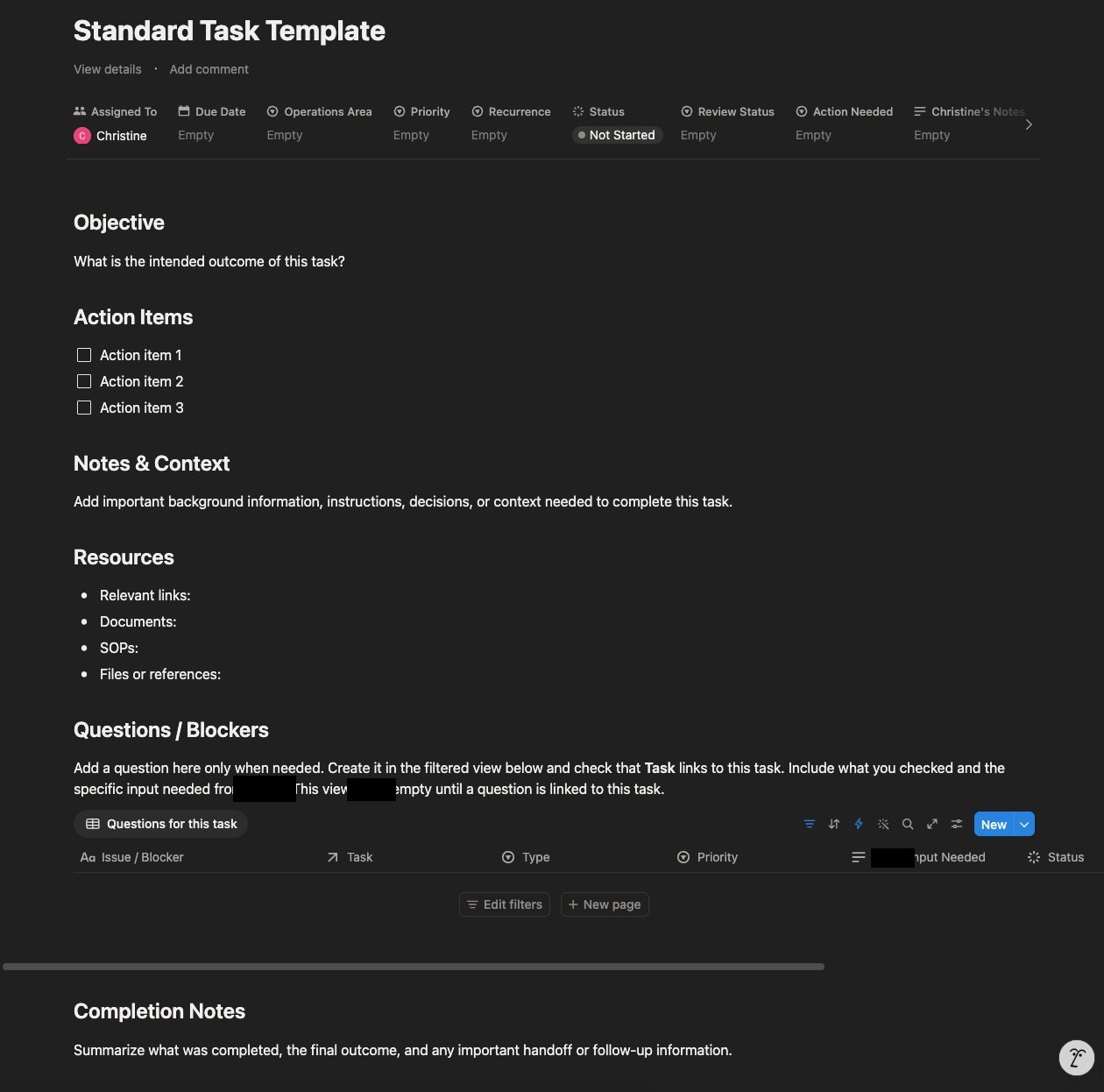
Task page body · E-03
- 01Objective — intended outcome
- 02Action items — checklist
- 03Notes & context — instructions, decisions
- 04Resources — links, documents, SOPs, files
- 05Questions / blockers — filtered linked view
- 06Completion notes — outcome, handoff
Executive HQ sections · E-06
- Management Decisions
- STATUS = AWAITING MANAGEMENT DECISION
- Moving forward
- STATUS = IN PROGRESS
- Delivered · this week
- COMPLETED THIS WEEK
- Delivered · all
- STATUS = COMPLETED
A status change moves a task between sections with no re-entry.
Standard SOP template · E-07 · 4 pp
- P.1Identify — title, control block, at a glance, process map
- P.2Execute — ownership, decision authority, step playbook
- P.3Decide — decision center, escalation zone, 7-check quality gate
- P.4Maintain — resource hub, version control, SOP health
Review is triggered by events, such as a form or rule change, rather than a fixed cycle. Draft and approved SOPs are kept apart.
Snapshots of live pages
- Slack received 3 automated task updates on 08 Oct 2026, 2 at the management-decision status, 1 with a reply thread (E-04).
- Pre-work brief generated on 08 Oct: 7 pending tasks, 4 flagged overdue (E-05).
- Executive HQ live with decisions, current work and delivered items (E-06).
- 21 SOPs in the library, 13 accounting and 8 internal process; 3 supplied as evidence (E-08 – E-10).
No baseline was recorded, so no productivity, time-saved or throughput change is claimed.
| Task database + Standard Task Template | IMPLEMENTED |
| Questions / Blockers linked database | IMPLEMENTED |
| Status change → Slack notification | IMPLEMENTED |
| Pre-work brief to Notion inbox | IMPLEMENTED |
| Executive HQ, 4 counters + 3 views | IMPLEMENTED |
| Standard SOP template; SOP library | IMPLEMENTED |
| /task skill → Notion connector | IMPLEMENTED |
| Daily Operations Control (Zapier + Notion) | IN BUILD |
5.0 — Tools & systems used
The system in use
CM-2026-CS04 · four A3 sheets
The complete, original case study, including the full workspace architecture, SOP anatomy and representative SOP schedule. Opens full screen in a new tab; best viewed on a larger display.
Open full technical drawing set- AOverview / operating model / evidence
- BNotion architecture / information flow
- CSOP architecture / standardisation
- DDaily operations / evidence of use